
How to Clean Your Aquarium Filter Without Crashing
Quick Summary
Cleaning your filter is essential for maintaining flow and water quality, but doing it wrong can destroy the beneficial bacteria that keep your tank cycled. The single most important rule: never rinse biological media in untreated tap water. Chlorine and chloramine in municipal water kill nitrifying bacteria on contact.
Rinse filter media in a bucket of tank water removed during a water change. Handle biological media gently. Never replace all your media at once. Clean your filter every 4 to 12 weeks depending on bioload, and time it so you are not also making other major changes to the tank on the same day. Follow these principles and your filter maintenance will restore flow without triggering an ammonia spike.
Why Filter Cleaning Goes Wrong
If you have ever cleaned your filter and woken up the next morning to cloudy water, stressed fish, or measurable ammonia, you have experienced a bacterial crash. It is one of the most common mistakes in the hobby, and it happens because the filter is the largest concentration of beneficial bacteria in most tanks.
The bacteria that process ammonia and nitrite colonize every available surface in the filter: sponges, ceramic rings, bio balls, and even the inside walls of the filter housing. When you clean the filter aggressively or rinse media in chlorinated water, you remove or kill a significant portion of this bacterial colony. The remaining bacteria cannot process the full bioload, and ammonia rises until the colony recovers.
This is what aquarists call crashing the cycle. It is not a full reset to an uncycled tank, but it can produce days of elevated ammonia and nitrite that stress or kill livestock. In planted tanks, even a partial crash creates conditions that favor algae outbreaks as the nutrient balance shifts temporarily.
The good news is that filter cleaning done correctly preserves the bacterial colony almost entirely. The goal is to restore water flow by removing accumulated debris while leaving the biological surfaces intact.
What Lives in Your Filter
Before cleaning, it helps to understand what you are protecting. Your filter houses two categories of organisms that matter for tank health.
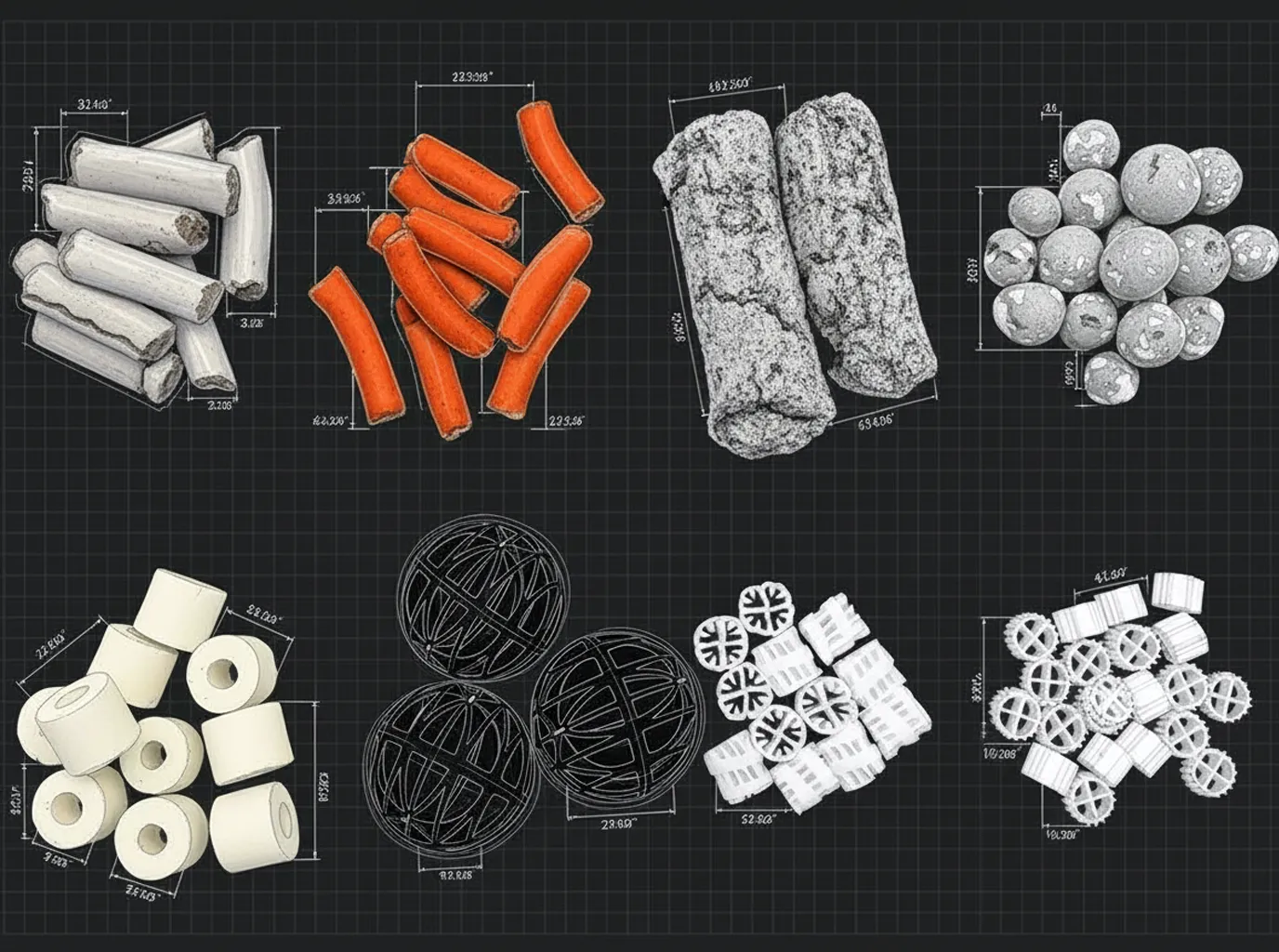
Nitrifying bacteria. These are the ammonia and nitrite processors. Nitrosomonas species convert ammonia to nitrite. Nitrobacter and Nitrospira species convert nitrite to nitrate. They form biofilms on the surfaces of biological media (ceramic rings, bio balls, sponge pores, sintered glass). These biofilms are slimy and brownish. They look like grime, but they are the most valuable thing in your filter.
Heterotrophic bacteria. These break down organic waste, uneaten food, and dead plant material into simpler compounds. They colonize mechanical media (sponges, filter floss) and contribute to general water clarity. They reproduce much faster than nitrifying bacteria, so they recover quickly after disturbance.
The nitrifying bacteria are what you need to protect. They grow slowly (doubling time of 12 to 24 hours under optimal conditions, often longer in established filters) and take weeks to fully recover from a significant die-off. Heterotrophic bacteria bounce back within days. This is why a crashed cycle produces ammonia and nitrite spikes that persist for 1 to 3 weeks, even though the water may clear visually within a day or two.
The Golden Rules of Filter Cleaning
These principles apply to every filter type and every maintenance session. Memorize them and you will never crash your cycle through filter cleaning.
Rule 1: Always Rinse in Tank Water
Before you start cleaning, remove a bucket of tank water during your regular water change. Use this water to rinse all filter media. The dechlorinated, temperature-matched tank water preserves bacteria while still allowing you to squeeze out debris and restore flow.
Never use tap water directly from the faucet. Even warm tap water contains chlorine or chloramine at concentrations that kill nitrifying bacteria within minutes. This is the single most common cause of filter-related cycle crashes.
Rule 2: Handle Biological Media Gently
Ceramic rings, bio balls, sintered glass, and bio sponges should be rinsed lightly, not scrubbed. Swish them gently in the bucket of tank water to dislodge loose debris. Do not squeeze bio media aggressively, do not scrub surfaces, and do not try to make them look new. The brown biofilm coating is your bacterial colony. Leaving it intact is the entire point.
Mechanical media (coarse sponges, filter floss, polishing pads) can be squeezed and rinsed more thoroughly because their primary function is trapping particles, not housing bacteria. Even so, rinse them in tank water rather than tap water.
Rule 3: Never Replace All Media at Once
If any media needs replacing (worn-out sponges, disintegrating filter floss, crumbling ceramic), replace only one type at a time. Leave the rest undisturbed. The intact media carries enough bacteria to maintain the cycle while new media colonizes.
If you replace everything simultaneously, you start with near-zero biological filtration. The tank must essentially re-cycle, which takes 2 to 6 weeks and produces ammonia and nitrite spikes that can be harmful or fatal to livestock.
Rule 4: Do Not Clean the Filter and Change Water on the Same Day
In most tanks, the substrate and filter together house the majority of beneficial bacteria. A large water change followed immediately by aggressive filter cleaning doubles the disruption. Space these activities by at least 24 to 48 hours.
If you typically do water changes weekly, clean the filter on the alternate week or at least a day or two before or after the water change. This gives the bacterial colony time to stabilize between disturbances.
Rule 5: Keep the Filter Off for the Minimum Time
Bacteria in the filter need oxygenated water flowing through the media to survive. When the filter is off, the stagnant water inside depletes oxygen within 1 to 2 hours. Bacteria begin dying shortly after. Keep the filter off for the shortest time possible during cleaning (ideally under 30 minutes) and restart it immediately after reassembly.
If maintenance takes longer (stubborn impeller cleaning, seal replacement), rinse the bio media and place it in a bucket of aerated tank water while you work on the mechanical components. A small air stone in the bucket keeps the bacteria alive for hours if needed.
Cleaning a Canister Filter: Step by Step
Canister filters hold more media and require more effort to clean, but the principles are identical. In most setups, canister cleaning should happen every 6 to 12 weeks.
Before You Start
Gather your supplies: two buckets (one for draining, one with tank water for rinsing), towels, and replacement media if any needs swapping. Some aquarists keep a dedicated "filter cleaning day" bucket that never sees soap or cleaning products.
Step 1: Turn Off and Disconnect
Close the quick-disconnect valves on the hoses (if equipped) and unplug the filter. Disconnect the hoses from the canister body. Have towels ready. Some water will drain from the hoses and fittings.
Step 2: Drain the Canister
Carry the canister to a sink or drain area. Open the housing and pour out the dirty water. This water is brown and smells earthy. That is normal and indicates healthy biological activity.
Step 3: Remove and Rinse Media Trays
Take out each media tray in order and note the arrangement. You want to put them back in the same sequence.
Mechanical media (first tray, usually coarse sponge): Squeeze and rinse thoroughly in the bucket of tank water until the water runs mostly clear. This tray catches the most debris and is the primary cause of flow reduction. If the sponge is deteriorating or has lost its shape, replace it. Coarse sponges are cheap and do not house significant bacteria compared to dedicated bio media.
Biological media (middle trays, ceramic rings, bio balls, sintered glass): Swish gently in the bucket of tank water. Do not squeeze, scrub, or try to clean every surface. A light rinse to remove loose debris is all that is needed. The media will still look brown and slimy. That is correct. You will often notice the bucket water turns dark brown after rinsing bio media. This is released detritus, not lost bacteria.
Fine mechanical media (last tray, filter floss or polishing pad): Replace this entirely if it is clogged or discolored. Fine media is disposable by design and traps the smallest particles. It does not house significant bacterial colonies.
Step 4: Clean the Housing and Impeller
Wipe the inside of the canister body with a clean cloth. Check the impeller chamber for debris. Remove the impeller and clean it with a small brush or cotton swab. A clogged or dirty impeller is the most common cause of reduced flow that cleaning media alone does not fix.
Check the O-ring seal for damage, debris, or drying. Apply a thin layer of silicone grease (not petroleum jelly) if it looks dry. A compromised O-ring causes leaks and air ingestion that reduces filter performance.
Step 5: Reassemble and Restart
Replace the media trays in their original order. Close the canister housing securely. Reconnect hoses, open the quick-disconnect valves, and prime the filter according to the manufacturer's instructions. Plug in and verify water flow is restored. Check for leaks at all connection points.
The water may be slightly cloudy for 1 to 2 hours after restarting as disturbed particles settle. This clears on its own and is not a sign of a problem.
Cleaning an HOB Filter: Step by Step
HOB filters are simpler and faster to clean. Most can be serviced in under 5 minutes. Clean every 2 to 6 weeks depending on bioload and flow rate.
Step 1: Unplug the Filter
Turn off and unplug the HOB. Leave it hanging on the tank. There is no need to remove it entirely for routine cleaning.
Step 2: Remove and Rinse Media
Pull out the media. If you are using the stock cartridge, rinse it gently in a bucket of tank water. Squeeze out accumulated debris. If the cartridge is disintegrating, replace it, but see the note below about cartridge dependency.
If you have upgraded to custom media (sponge plus ceramic rings or bio rings), rinse the sponge in tank water and gently swish the bio media. The same gentle approach as canister bio media applies.
Step 3: Clean the Impeller and Housing
Most HOB impellers are accessible by removing a small cover on the motor housing. Pull the impeller, wipe the shaft and chamber, and replace. Remove any debris from the intake tube. Wipe the inside of the media chamber with a cloth.
Step 4: Reassemble and Restart
Replace the media, plug in the filter, and verify water flows properly. HOB filters typically self-prime within seconds.
A Note on Cartridge Dependency
Many HOB filters ship with proprietary cartridges that combine mechanical and biological media in a single disposable unit. The manufacturer tells you to replace the cartridge every 4 to 6 weeks. This is designed to sell cartridges, not to maintain your tank.
Replacing the cartridge every month throws away your bacterial colony. In practice, the best upgrade you can make to an HOB filter is replacing the cartridge with a cut-to-fit sponge and a bag of ceramic bio rings. These are rinsed during cleaning, never replaced entirely, and maintain biological continuity indefinitely.
How Often Should You Clean?
Cleaning frequency depends on your tank's bioload, feeding practices, and plant density. There is no universal schedule, but these guidelines cover most situations.
Light bioload (few fish, heavily planted): Every 8 to 12 weeks. Plants absorb waste before it reaches the filter, so media clogs slowly. Monitor flow rate and clean when it noticeably decreases.
Moderate bioload (community tank with moderate planting): Every 4 to 8 weeks. This is the most common scenario and where most aquarists settle into a regular maintenance rhythm.
Heavy bioload (densely stocked, heavy feeding): Every 2 to 4 weeks. High waste production clogs mechanical media quickly. In these tanks, using a prefilter sponge on the intake significantly extends the interval between full filter cleanings. The prefilter catches large debris before it enters the main body, and rinsing the prefilter sponge weekly takes seconds.
How to Tell It Is Time
You will often notice these signs before a scheduled cleaning date arrives:
- Reduced flow from the output. Compare the current flow visually to what it looked like after the last cleaning. A noticeable decrease means mechanical media is clogging.
- Increased surface debris. When the filter cannot pull waste effectively, detritus accumulates on the substrate and plant leaves instead of being captured.
- Louder filter noise. Impellers working harder against clogged media produce more vibration and noise. A filter that has become noticeably louder than usual needs attention.
What to Do If You Already Crashed the Cycle
If you cleaned your filter too aggressively and are now seeing ammonia or nitrite readings, act quickly but calmly. The bacterial colony is not gone. It is reduced and needs time and support to recover.
Immediate Actions
Test water daily. Monitor ammonia and nitrite levels at least once daily until both read zero.
Perform small, frequent water changes. Change 20 to 30 percent daily if ammonia or nitrite exceeds 0.5 ppm. This dilutes toxic compounds without removing the remaining bacteria. Avoid massive water changes (above 50 percent) as the sudden parameter shift adds additional stress.
Reduce feeding. Cut feeding to once every other day or skip entirely for 2 to 3 days. Less food means less ammonia production while the bacterial colony rebuilds.
Add a bacterial supplement (optional). Products like Seachem Stability, Fritz TurboStart, or Dr. Tim's One and Only introduce live nitrifying bacteria that can shorten recovery time. They are not essential (the colony will regrow on its own) but they help in severe crashes.
Do not clean the filter again. The remaining bacteria need undisturbed time to multiply. Resist the urge to "fix" the filter by cleaning it further.
Recovery Timeline
In most partial crashes, ammonia peaks within 24 to 48 hours and begins declining within 3 to 5 days as surviving bacteria multiply. Nitrite may spike secondarily and resolve within 7 to 14 days. Full recovery to a stable, zero-ammonia, zero-nitrite state typically takes 1 to 3 weeks.
In planted tanks, plants help absorb ammonia directly, which softens the spike. Heavily planted tanks recover faster from filter crashes than sparsely planted ones because the plants act as a biological buffer alongside the regenerating bacterial colony.
Advanced: Media Replacement Strategy
Over time, some filter media genuinely needs replacing. Sponges lose their structure and collapse, reducing flow. Ceramic rings can clog with mineral deposits that rinsing cannot remove. Filter floss disintegrates. Knowing how to replace media without disrupting the cycle requires a staged approach.
The Staggered Replacement Method
Never replace more than one-third of your biological media at a time. If your canister has three trays of bio media, replace one tray and leave the other two intact. Wait 4 to 6 weeks for bacteria to colonize the new media before replacing the next tray.
For HOB filters with a single media chamber, this means running old and new media side by side for 2 to 4 weeks. Place the new sponge or bio media next to (not instead of) the old media. After bacteria have colonized the new media, remove the old piece.
Pre-Seeding New Media
You can accelerate bacterial colonization by placing new media in the tank or filter alongside existing media for 2 to 4 weeks before the swap. The new media picks up bacteria from the water column and adjacent colonized surfaces. By the time you remove the old media, the new pieces are already partially colonized and ready to handle the biological load.
This is especially useful when upgrading to a completely new filter. Run the old and new filter simultaneously for 2 to 4 weeks. The old filter seeds the new one. After the transition period, remove the old filter with minimal impact on biological filtration.
Advanced: Cleaning Frequency and Planted Tank Balance
In well-established planted tanks, there is a subtle interaction between filter cleanliness and nutrient balance. Accumulated debris in the filter slowly decomposes and contributes to the tank's nitrogen cycle, releasing small amounts of ammonia that are processed by bacteria and eventually converted to nitrate that plants consume.
An extremely clean filter in a planted tank can sometimes cause a temporary nutrient dip because this background decomposition is interrupted. In practice, this is rarely noticeable, but aquarists running lean fertilization regimes may see a slight growth slowdown after aggressive filter cleaning.
This is not a reason to avoid cleaning. Clogged filters reduce flow, which harms CO2 distribution, nutrient circulation, and waste removal. But it does explain why some experienced aquarists slightly increase fertilizer dosing in the week following a thorough filter cleaning to compensate for the temporary reduction in biologically recycled nutrients.
Common Myths
"You should replace filter media every month." Biological media (ceramic, bio balls, sponge) should be rinsed, not replaced, unless physically deteriorated. Monthly replacement destroys the bacterial colony repeatedly. Mechanical media like filter floss can be replaced as needed, but bio media lasts for years.
"Tap water is fine if you rinse quickly." Chlorine kills nitrifying bacteria within 30 seconds of contact. There is no safe "quick rinse" in tap water. Always use dechlorinated tank water or conditioned water for rinsing any filter media.
"Brown filter media is dirty and needs scrubbing." The brown coating on bio media is bacterial biofilm and accumulated organic matter. It is a sign of a healthy, mature biological filter. Scrubbing it off removes the very bacteria you are trying to protect. Gentle rinsing to remove loose debris is all that is needed.
"Cleaning the filter causes mini-cycles every time." Proper cleaning (gentle rinse in tank water, bio media left mostly undisturbed) does not cause detectable ammonia or nitrite increases. Mini-cycles result from aggressive cleaning, chlorinated water use, or replacing all media simultaneously. Correct technique eliminates this risk entirely.
FAQ
Can I use dechlorinator in tap water to rinse filter media?
Technically yes. Adding water conditioner to a bucket of tap water neutralizes chlorine and chloramine, making it safe for media rinsing. However, using removed tank water is simpler and more reliable because you know it is the right temperature and chemistry. If tank water is unavailable, treated tap water is an acceptable alternative.
Should I clean the filter during a tank cycle?
No. During the initial cycling period (first 4 to 8 weeks), the bacterial colony is establishing and is most vulnerable to disruption. Do not clean the filter until the cycle is complete (ammonia and nitrite consistently read zero). If mechanical media is visibly restricting flow, a very gentle rinse of only the mechanical sponge is acceptable.
My filter smells bad after cleaning. Is this normal?
A mild earthy smell is normal and indicates biological activity. A strong rotten egg smell (hydrogen sulfide) indicates anaerobic conditions inside the filter, usually from media left stagnant for too long or a canister that was turned off and forgotten. In this case, rinse all media thoroughly in tank water, clean the housing, and restart. Monitor ammonia for the next few days.
How long can a filter be off before bacteria die?
Bacteria begin experiencing oxygen deprivation within 1 to 2 hours in a sealed, stagnant filter. Significant die-off starts at 4 to 6 hours. After 12 or more hours without flow, the majority of nitrifying bacteria in a sealed canister may be dead. Keep maintenance under 30 minutes whenever possible.
Should I add bacteria after every filter cleaning?
Not if you clean correctly. Gentle rinsing in tank water preserves the colony well enough that supplemental bacteria are unnecessary. Save bacterial supplements for actual crashes (detectable ammonia or nitrite after cleaning) or when setting up new filters.
Is it safe to vacuum the substrate and clean the filter the same week?
It is better to space them out. Deep substrate vacuuming and filter cleaning both disturb bacterial populations. Doing both within 24 hours can temporarily reduce total biological capacity. Space them by at least 2 to 3 days, or do one per week on alternating weeks.